Writing and Reviewing Content in TinaCMS

On this page6 sections ▾
I like the idea of TinaCMS. The content stays in the Git repository, and you get a visual editor on top of it. I put it on my personal recipe site, and on Tiani's portfolio, so she could update her work without asking me to edit files and redeploy. Then I added it to this blog.
That was the first time around, and it did what I wanted. On the recipe site and the portfolio, the visual editor was the point. On the blog, I slowly stopped opening it.
#Drafting locally
The way I was writing posts had shifted. An agent would draft the MDX locally, I'd read it, maybe ask for a few changes, and then we'd publish. If I was already at my machine with the repo checked out, I could review the file there and be done. The editor was still there. I just wasn't reaching for it.
That was fine while the work happened on my own computer. More of it now happens off my machine, with agents running in the cloud or as bots I message from wherever I am. Asking one of those agents to clone the repo, run the site locally and try to send me a screenshot is a lot of ceremony for a draft I just want to read. Small edits were worse. Each tweak meant another local render, another screenshot, and a long wait for what should have been a quick pass over the post.
I still wanted the same thing I'd liked about Tina in the first place: open the post, see it as it will look, and change it there if I need to. I just needed that to work for a post that wasn't on the live site yet, without me opening a terminal to get there.
#The editorial workflow
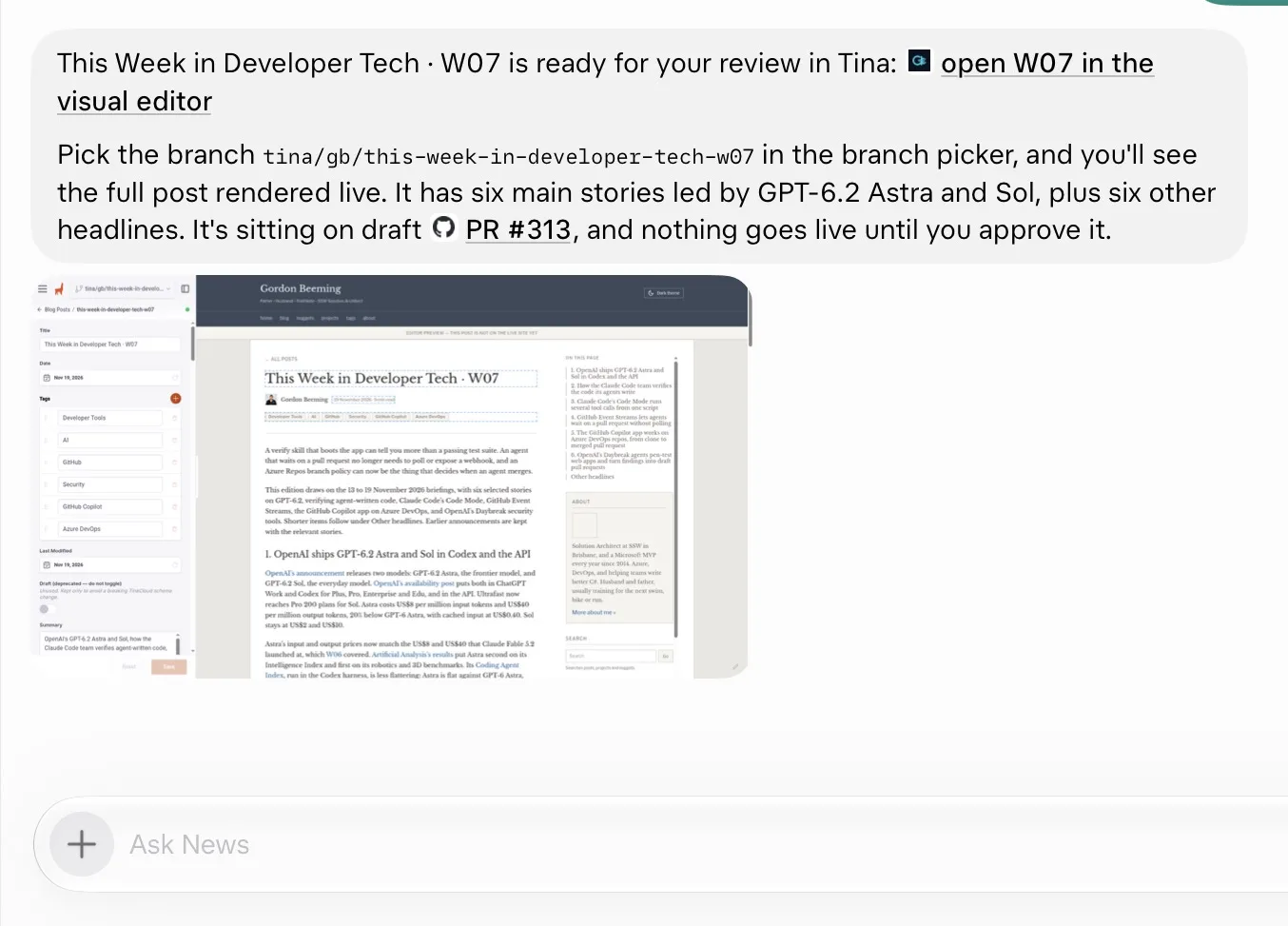
I've started using Tina's editorial workflow for new posts. The post is created in Tina, from main, and saved to a new branch named gb/ plus a short topic slug. Tina creates that branch under a tina/gb/ prefix, puts the post on it, and opens a draft pull request. I then get a link that opens the post in the visual editor on that branch.
Side note: you might read that bit about my branch naming convention and think it's AI slop, with an agent spilling details nobody needs. It's actually a feature, and an important one on a huge repo like SSW Rules. When loads of edits are happening at once, the branch list gets long, and the
gb/prefix lets me find my branches quickly.
From there I can read the post as it will look on the site. If a sentence is off, I can fix it in the editor instead of sending it back for another local render and another screenshot. When I'm happy with it, I decide what happens to the pull request.
An agent can do the Tina side of that: create the post, save it onto the branch, and send me the visual editor link. I still review the post in Tina, which is the part I had drifted away from.
#Example: the weekly post
This morning's weekly post is a decent example of the whole loop.
Every morning at 5 AM, News, the assistant that puts together This Week in Developer Tech, sends me a briefing of developer and AI stories. I react to each that I find interesting and want to share: a ❤️ for something I loved, a 👍 for a maybe, and a cross for something I definitely don't want and the rest I leave without reactions as we may loop back to that at the end of the week if for some reason I can't even find 5 likes or thumbs for the week 😅.
On Thursday, News goes back through the week's reactions and proposes a story list. The stories I hearted lead the post, the thumbs-up ones end up as shorter headlines at the bottom, and the crossed-out ones don't make it in. I confirm that list before anything gets drafted, so the post is built from what I picked during the week, not something written from scratch on its own.
This morning it sent me the proposed list for W07.
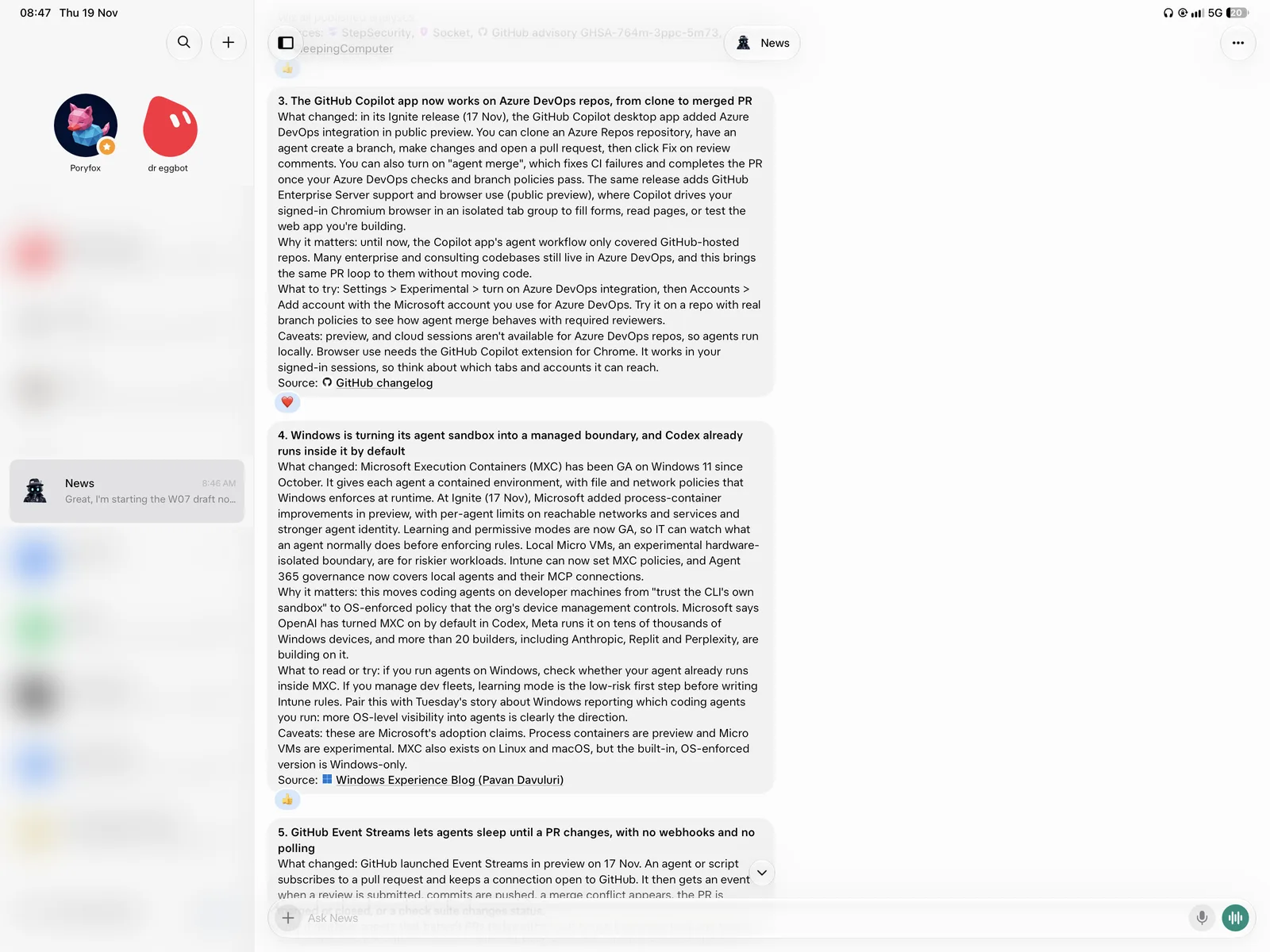
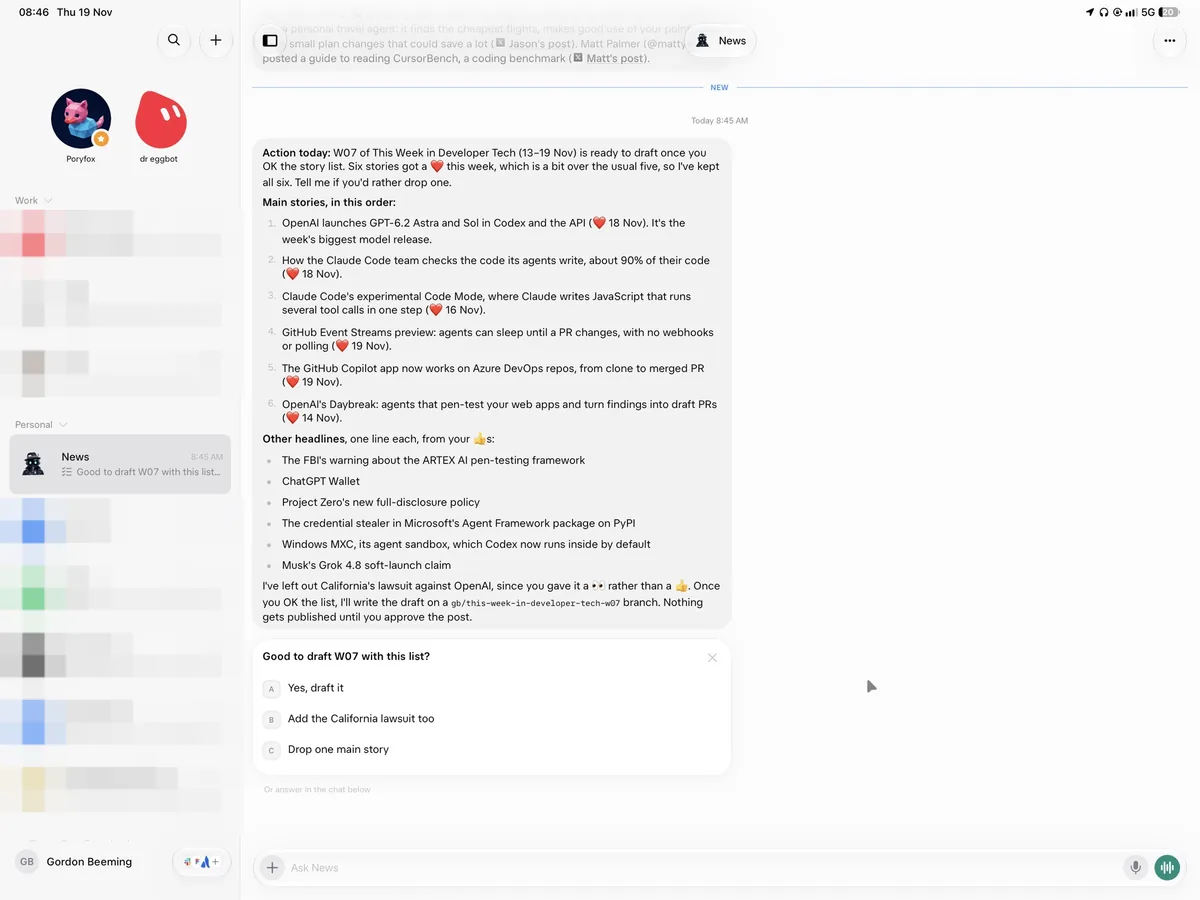
I said yes, the post was drafted onto the Tina branch, and I got a link to the visual editor.
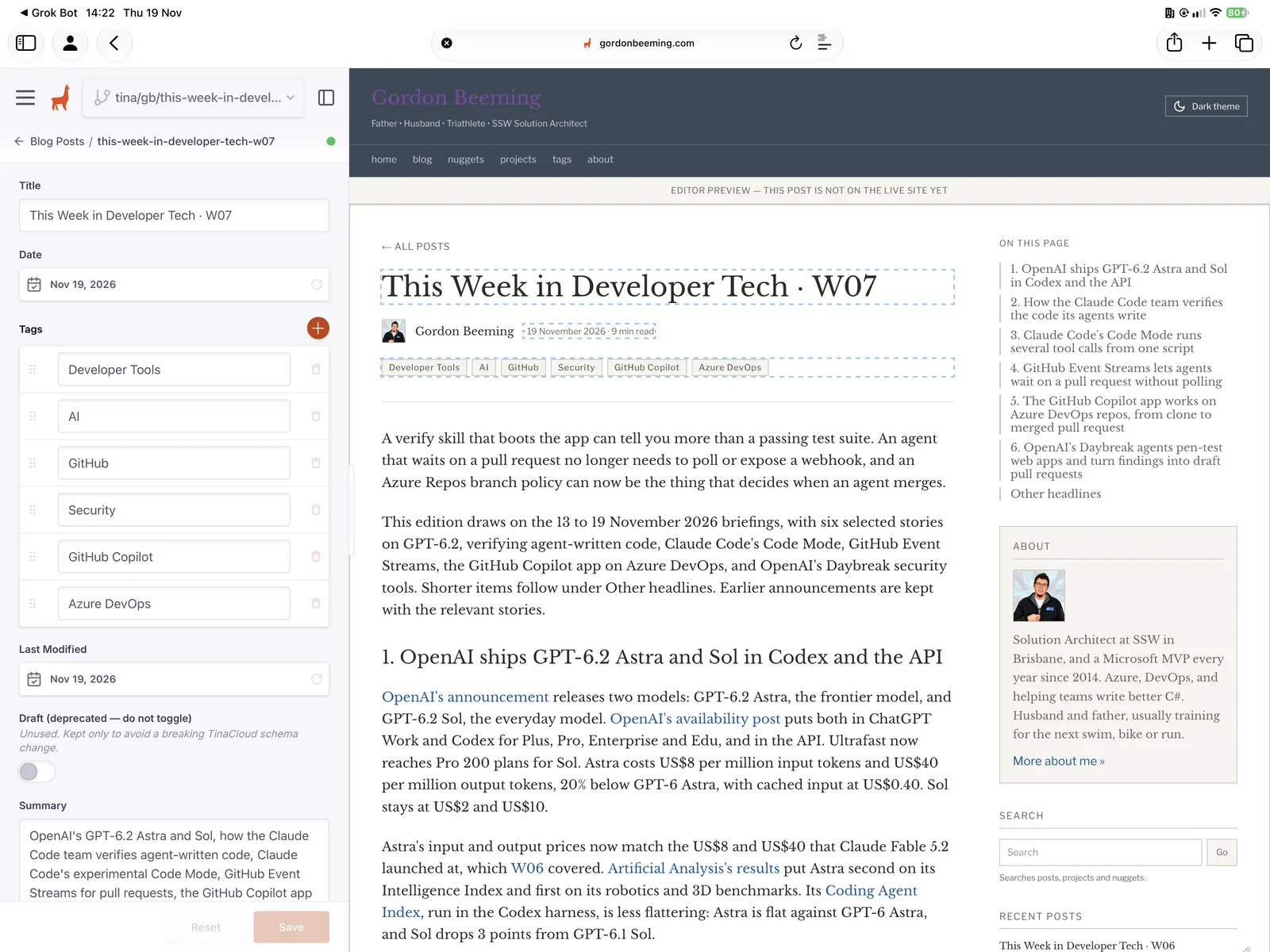
The preview showed the title, the date, the tags and the full body, with a banner that it's an editor preview and not on the live site yet. I read it on my iPad, replied "LGTM, publish", and it was merged. I then got the live link and a screenshot.
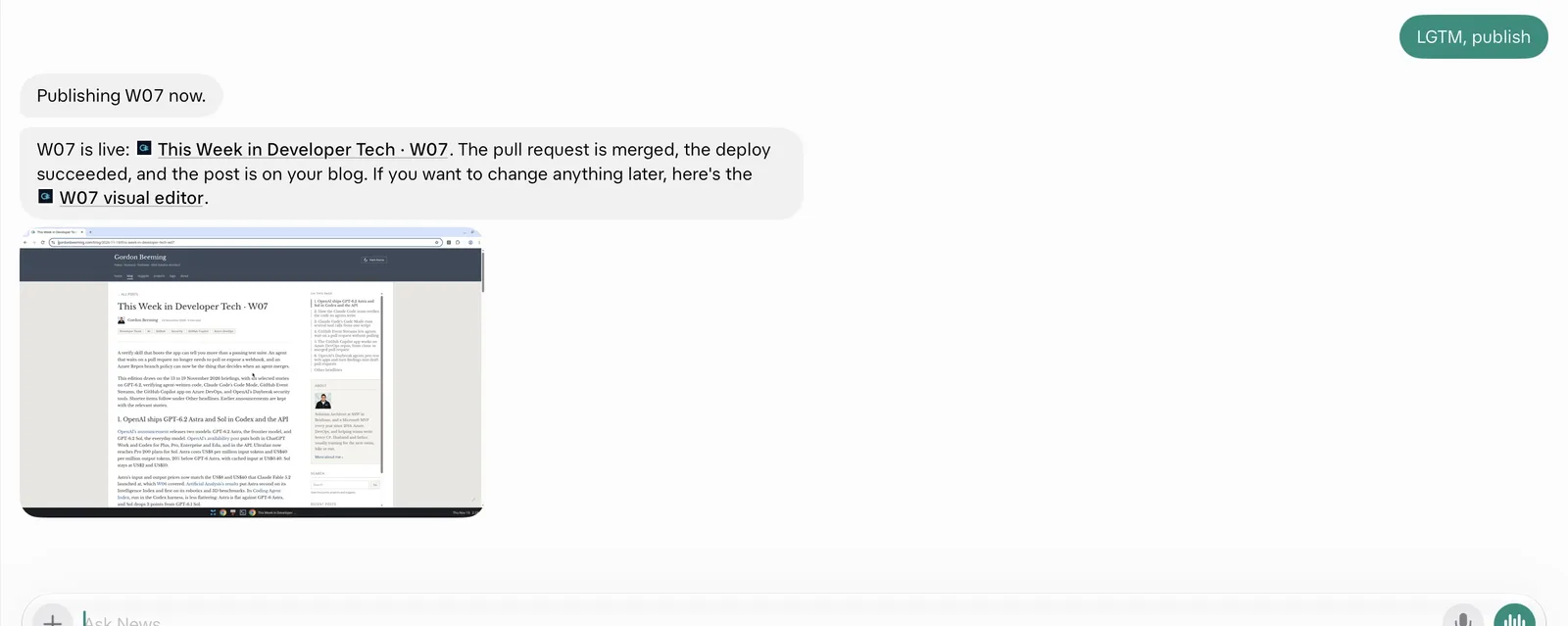
The published post is here: This Week in Developer Tech · W07.
#Reviews and merging
I use the same Tina flow for SSW Rules. The difference is what happens after the editor link exists. For a rule, I can send both the Tina link and the pull request to another developer to check, so they can read the rendered rule rather than only the diff. For a personal post, I just say to merge it.
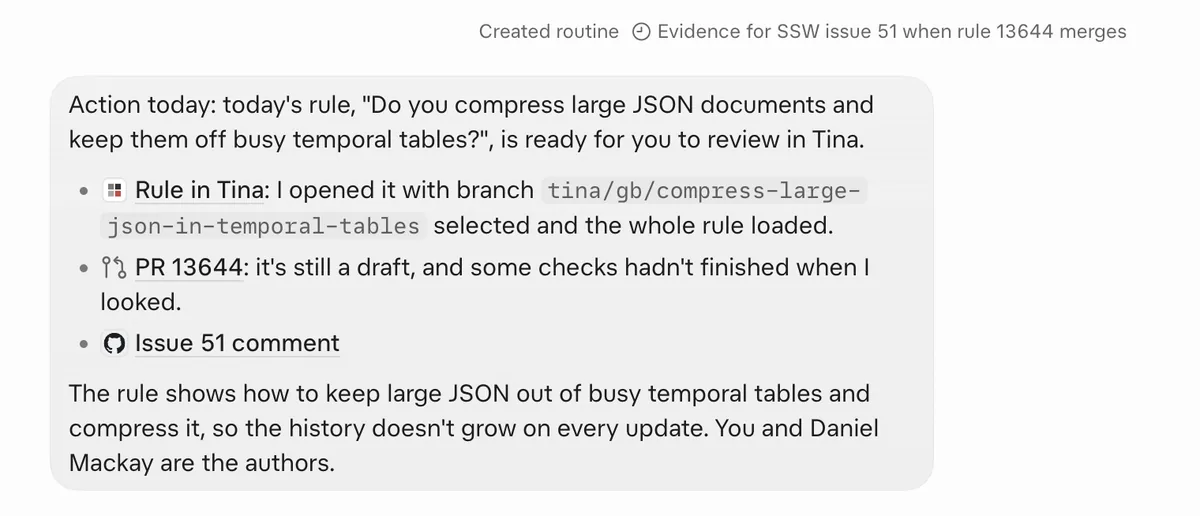
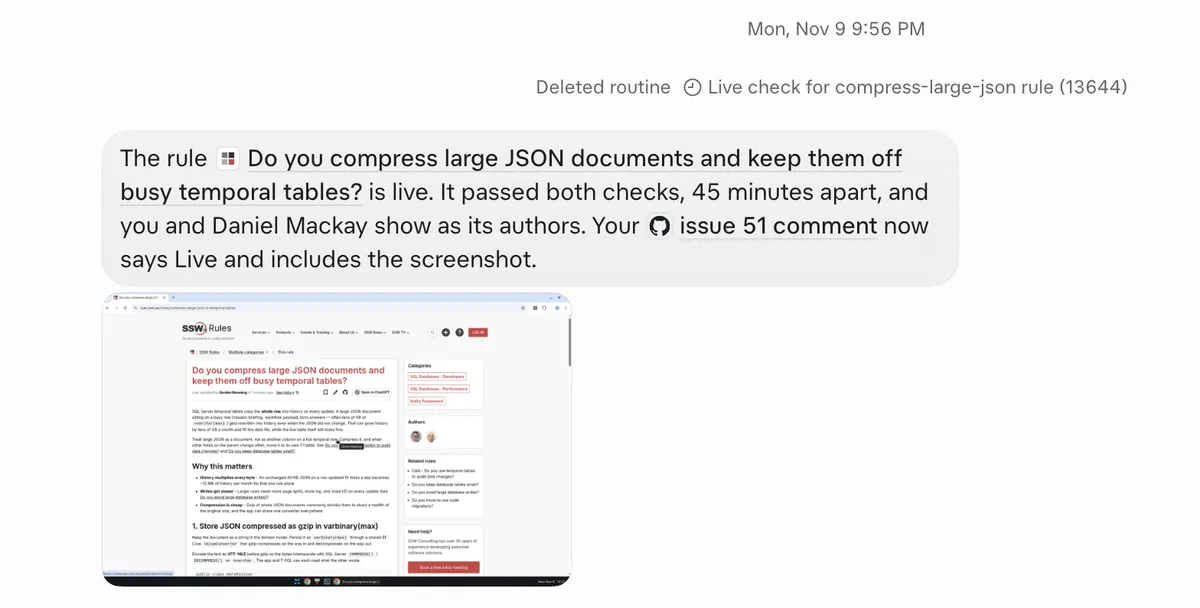
The open pull request is watched as well, and I get a nudge if a reviewer has left it sitting there too long. I don't have to remember to go and check whether someone has looked at it.
#Reviewing on an iPad
Most of the W07 review happened on my iPad on the train ride into work. I didn't clone the repo, I didn't run the site, and I didn't wait on a screenshot of a local render. The visual editor is just a link, so I can read the post properly on a decent screen and approve it from the same chat.
That was the bit that made the old loop feel like more work than it was worth. If I'm not at my machine, "just run it locally" isn't a small ask. A Tina link is.
#Wrapping up
I've come back to Tina for the same reason I installed it: the content stays in Git, and I can edit it visually. The editorial workflow is what made that practical again on this blog. A post can live on a branch, I can open it in the visual editor, and I can do that from my iPad. For some posts I send the Tina link and the pull request to someone else. For others I just say publish.
Locally, I now have a skill that runs through the same process so that my interactions are the same, and I'm loving this new workflow.