Connecting agents to TFS using integrated security on http from external domain

On this page3 sections ▾
If you have TFS on the domain but you are trying to connect agents to it from outside the domain and TFS is not running on https then this post is for you.
Obviously it would be great for everything to run on https, but sometimes you aren't able to because certs cost money, there is free certs these days but lots of them are dependent on you running your site on default ports for their setup, although you can setup TFS on default ports it's generally not.
#PAT over http
If you try using the PAT token auth you will notice that the agent shouts at you saying PAT auth is only supported on https
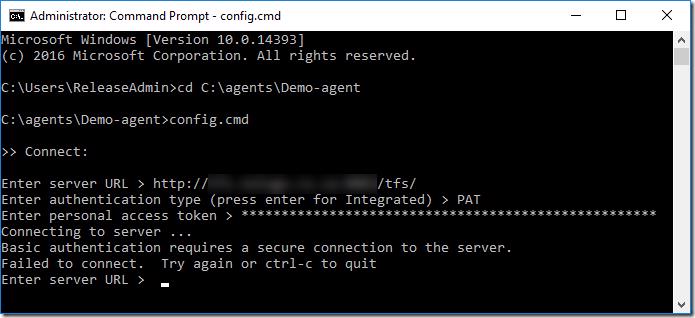
It feels like you have no options at this point but you do 🙂
#Integrated security from outside the domain
If you had to try integrated security from outside the domain you would obviously be told that auth can't happen because the domain joined machine doesn't know who you are
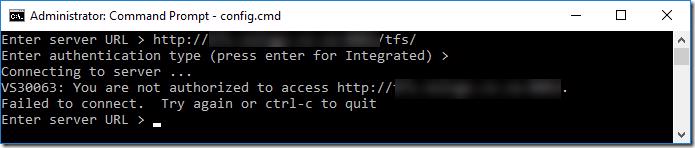
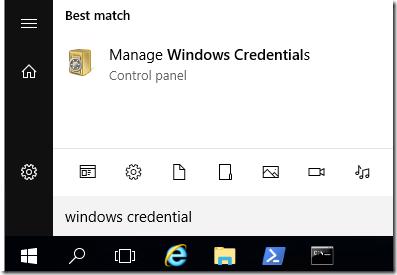
The solution is to use the Windows Credential Manager, go to the start menu and type windows credential and select Manage Windows Credentials
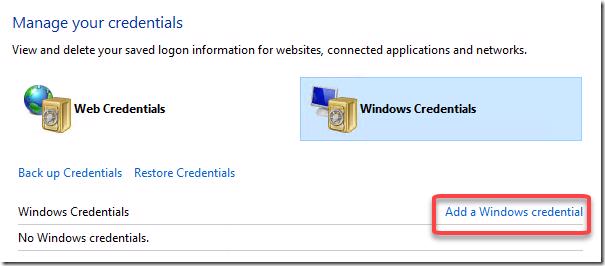
In this window you will click Add a Windows credential
Enter the server name with port
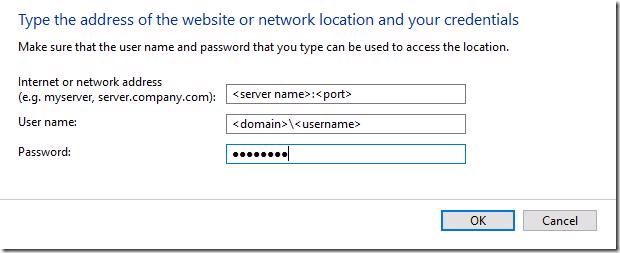
Click ok
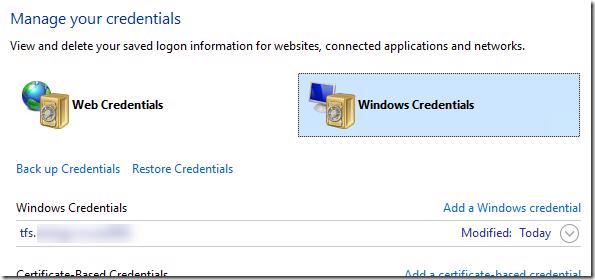
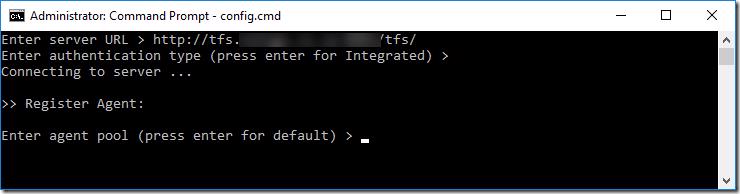
Once the credential is in you can now re-try connecting using integrated security and it will work 🙂
Hopefully this helps someone else as well
#Conclusion
It's a little bit hacky and I would say far from best practice but if you have no other options it will work. Really do try and get a real cert. I used a self signed cert at first but then you have to go and tell each machine that it's a trusted cert which feels more hacky.
If you think about it, if all your code, work items and other artifacts are in TFS that's the core of your company. Companies like Digi Cert sell standard SSL certs from around $140 a year, is your companies data being a little more secure not worth that?