Getting start with a Team Explorer Plugin for VS 2013 Part 1

On this page2 sections ▾
In these posts we will be going through creating different elements that can be found in the Team Explorer, the aim is to give you the ground knowledge required to extend Team Explorer your way. For an example of some great Team Explorer plugins that demonstrate how much you can do take a look at Team Rooms for Visual Studio 2013 and News which were created by Utkarsh Shigihalli and Tarun Arora for Team Explorer in Visual Studio 2013.
All sample code that is worked on through out any of the Team Explorer Samples will be hosted on GitHub at https://github.com/Gordon-Beeming/TeamExplorerSamplePlugin.
#What you'll need
#Create the a new blank Visual Studio Package
Open Up Visual Studio in Administrator mode and create a new Visual Studio Package
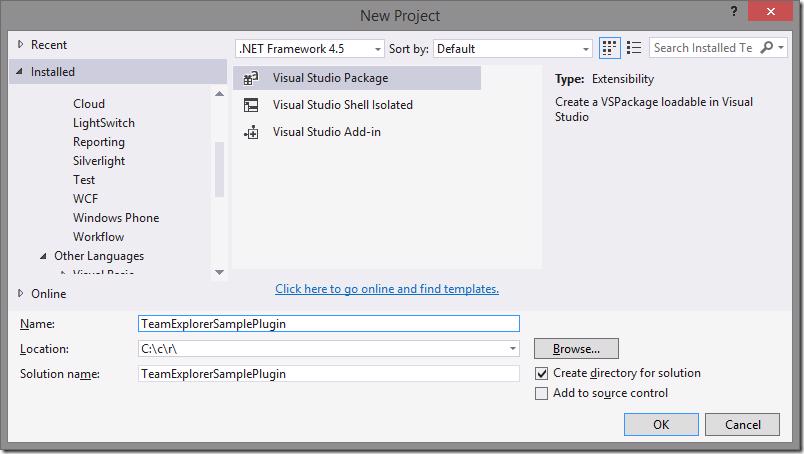
Use the following options in the Visual Studio Package Wizard
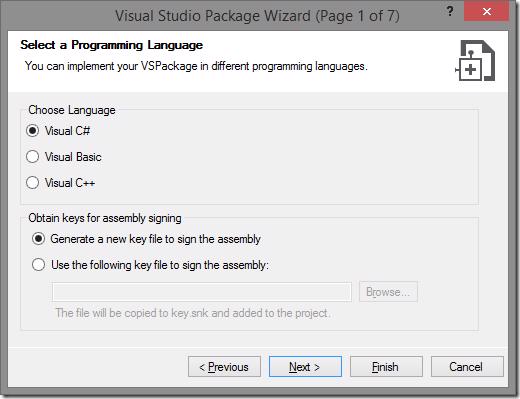
Page 1 of 7 - Select your language as Visual C# and Generate a new key file to sign the assembly
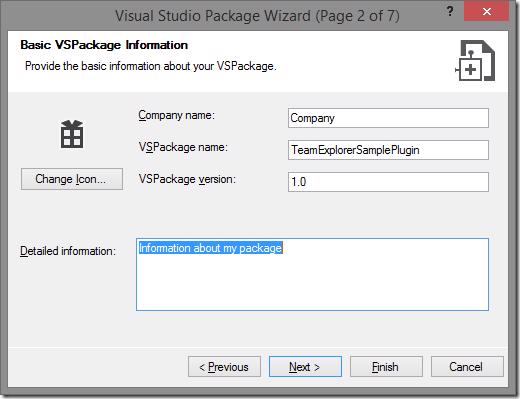
Page 2 of 7 - Enter the Basic VSPackage Information
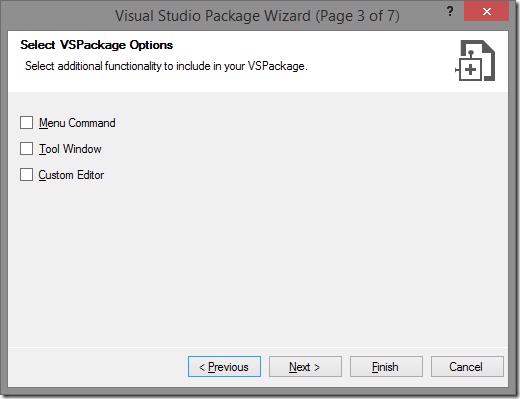
Page 3 of 7 - leave all unchecked
Page 7 of 7 - You should select Integration Test Project and Unit Test Project but for now deselect these 🙂
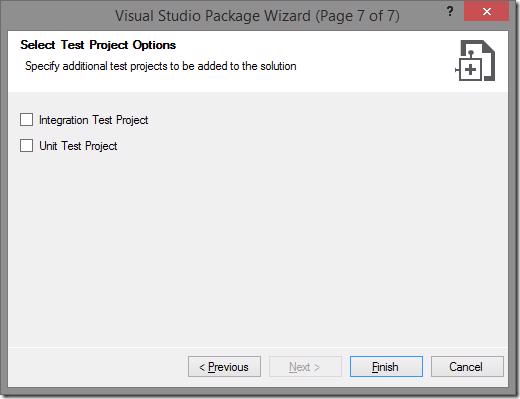
Click Finish, Visual Studio will now crate the base Project for you and automatically open the source.extension.vsixmanifest file. With this file open there is one thing that we are going to want to add. We are going to require the MEF Component Asset. Thanks must go to Utkarsh Shigihalli for helping with this part 🙂. Switch to the Assets tab and click New, select the options to complete the window as below
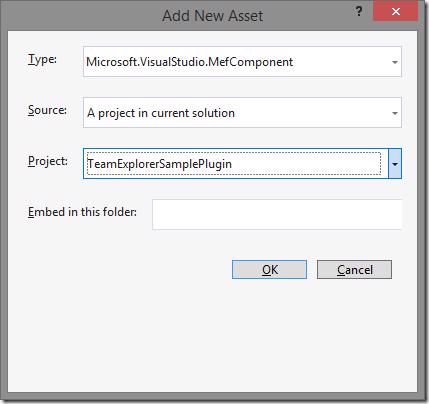
The last step to setup this solution for our sample plugin is to add a reference to Microsoft.TeamFoundation.Controls assembly which can be found by default in the folder *C:\\Program Files (x86)\\Microsoft Visual Studio 12.0\\Common7\\IDE\\ReferenceAssemblies\\v4.5\\*and System.ComponentModel.Composition.
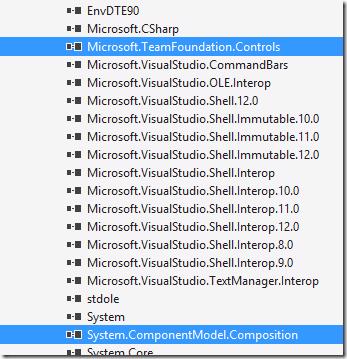
Your solution is now ready to start adding Team Explorer Extensions.
Take a look at Getting start with a Team Explorer Plugin for VS 2013 Part 2 where we will be adding a new Team Explorer Navigation Item.