SQL Prompt 6.4 Release

On this page4 sections ▾
Recently SQL Prompt 6.4 was released. Below are some of my favorite features from this release 🙂.
#Execute current statement
I used to highlight a bunch of text (a couple of statements) then press F5 to execute that statement. With this new release you are able to easily execute the current statement by pressing Shift + F5.
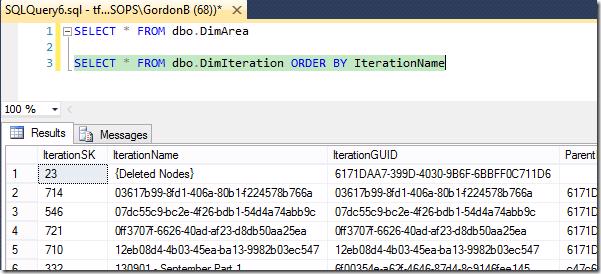
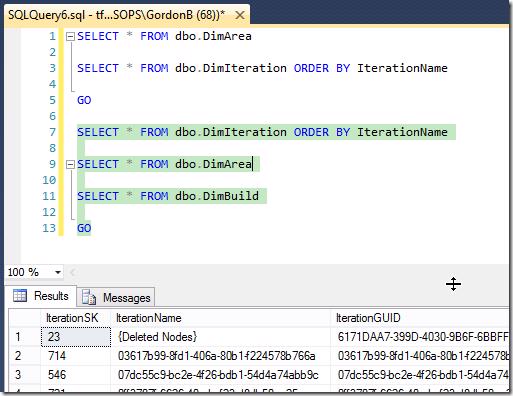
You are also able to execute the current batch with Alt + Shift + F5 which is pretty cool.
#Insert semicolons
Another neat feature is the Insert semicolons which quickly inserts semi colons at the end of each statement with a simply shortcut key of Ctrl + B, Ctrl + C

#Rename variables and aliases
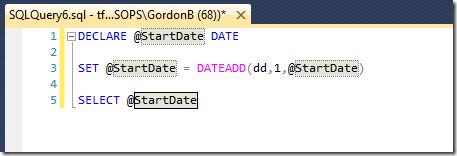
The last of the features I'm going to show is Rename variables and aliases. This feature makes me feel like I'm in Visual Studio with an easy way to rename variables without using Find and Replace. By pressing F2 on a variable it will change into a view like below where you can easily rename your variable
#Release Notes
There is a bunch of really cool features that have been released in this version including 41 requests (more details) from the Red Gate User Voice site. You can view the official release notes for 6.4 from http://br0wse.net/-SQL-Prompt-6-4-release-notes, other version release notes from http://br0wse.net/-sql-prompt-release-notes and finally if you want to download the new version you can go to http://br0wse.net/-sql-prompt.