Turning "on" local cache for NuGet

My internet connection is slow or down quite a lot. One of the things Robert MacLean pointed out today in a presentation at a Microsoft Dev Day event today is that is that you can make use of the local cache from previous downloaded packages. Below is how to do this 🙂
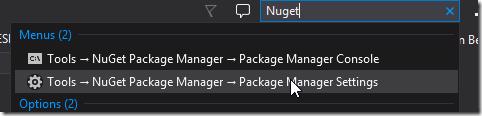
You can simple hit ctrl + Q type NuGet and then choose Package Manager Settings.
When the window opens click Browse.

This will open a Windows Explorer window with a path like below
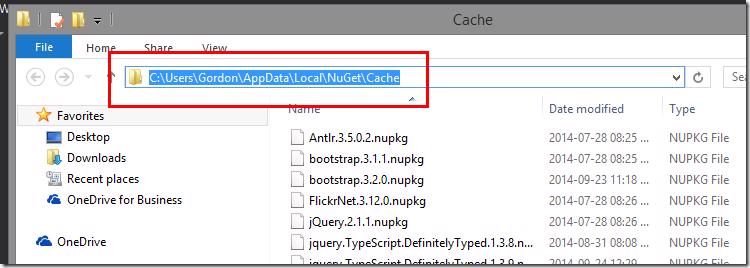
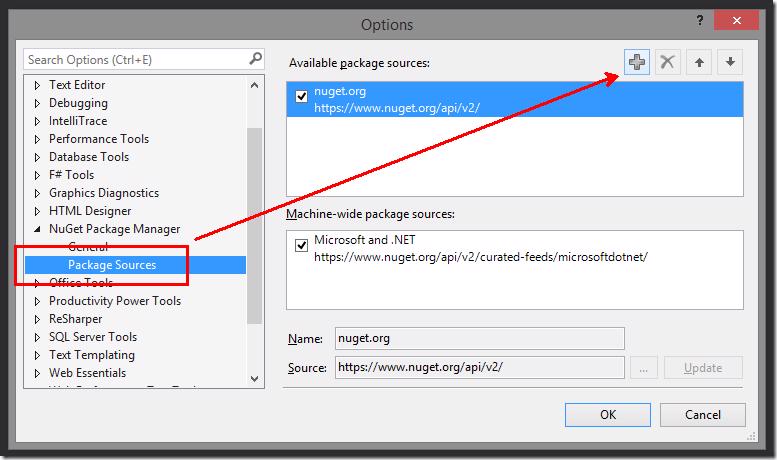
Copy that path into your clipboard and go back to the Package Manager Settings window. Click on the Package Sources tab and then click on the new button
Give this new package source a name and paste the path into the Source textbox
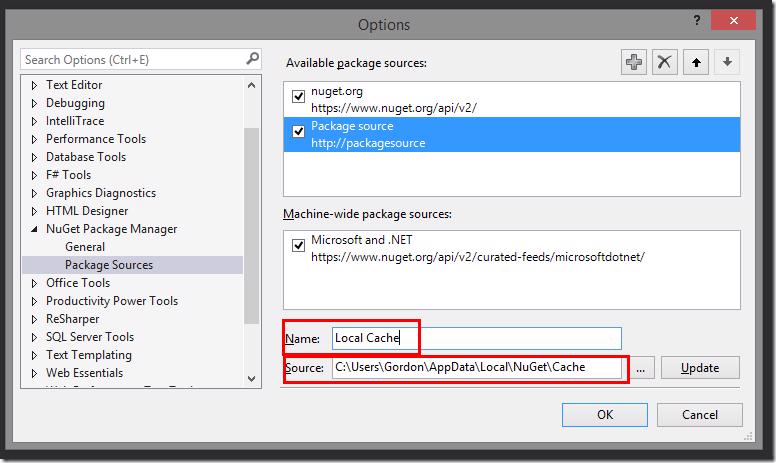
Click OK and you sorted. Your pc will now use your local cache for packages as well 🙂