GitHub actions… CI in 5 clicks

On this page7 sections ▾
If you don't know yet what GitHub actions are you can read about it on the GitHub Actions feature on GitHub. In short on the 8th of August GitHub announced an update to their actions which you can read about in this blog post. it's a very easy way to automate anything from any event in GitHub.
#Let's get started
I started this example with a new asp.net core 3 project.
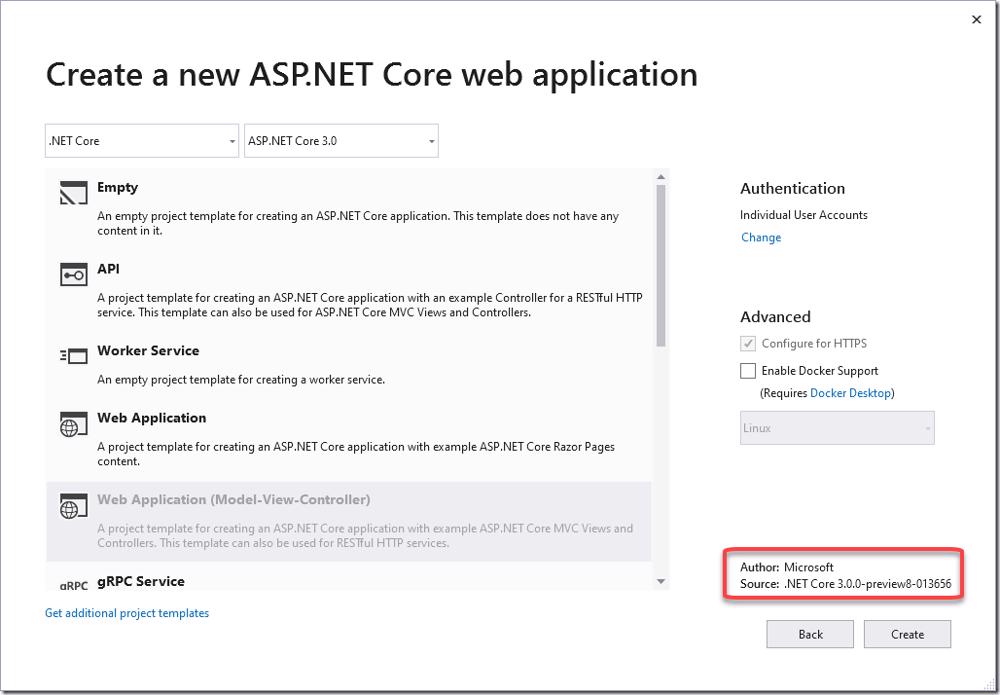
The project itself is not relevant for anything more than having a piece of code, in this case asp.net core 3 code that we can see how easy it is to configure the new actions with. I've pushed that code to GitHub to a repo called GitHubActionsSample
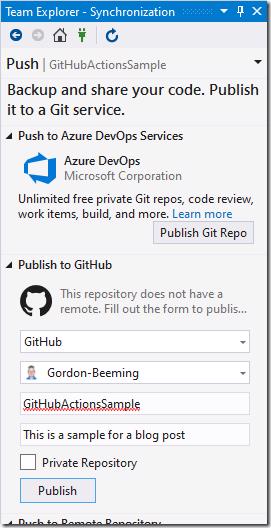
After the commit and push you can see that the code is on GitHub as you'd expect and we ready to start the actual 5 clicks 😁.
#Click 1
For our first click we are going to click on the actions tab
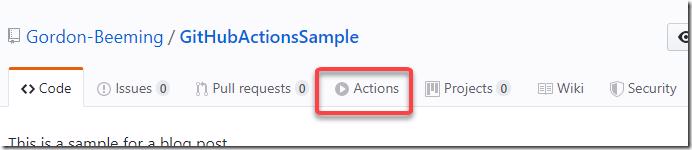
Nothing to complicated here, we are shown a list of all our defined workflows but we have non yet so let's continue
#Click 2
You'll see a list of samples on the page as well as options to just start fresh but what we are going to do is scroll down a little and click on the 'more' option
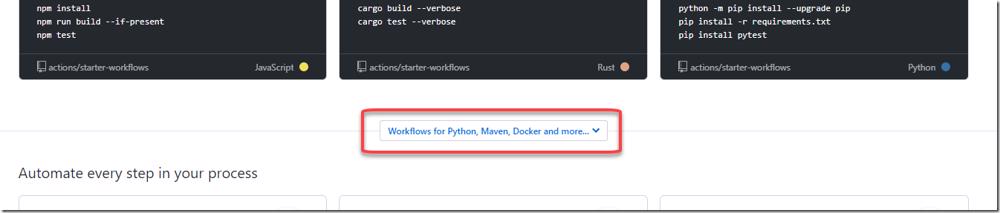
This will expand to show us a lot of workflows that we could perform for various frameworks and tools
#Click 3
In the list scroll until you come across ASP.NET Core and then click Set up this workflow
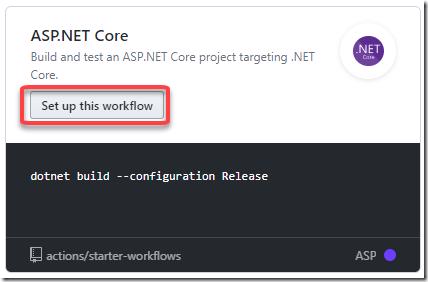
That will show you a YAML file that is mostly ready for us to just run. The file should be easy enough to just read through and understand what is going on in it, let's parse through it quickly
- The name of the workflow is called ASP.NET Core CI, this we can change if we want to something more meaningful. This will help us identify the workflow amongst the many others that we could end up creating
- This workflow is going to trigger on any push event to our repo
- Our workflow is going to run on ubuntu compute
- As part of our steps we are going to reuse an existing action called checkout, using it's v1 version
- We are also using an existing action that does environment setup for dotnet
- and with that setup we are asking for the SDK for version 2.2.108 to be added to the environment and then
- lastly we are running the command dotnet build –configuration Release
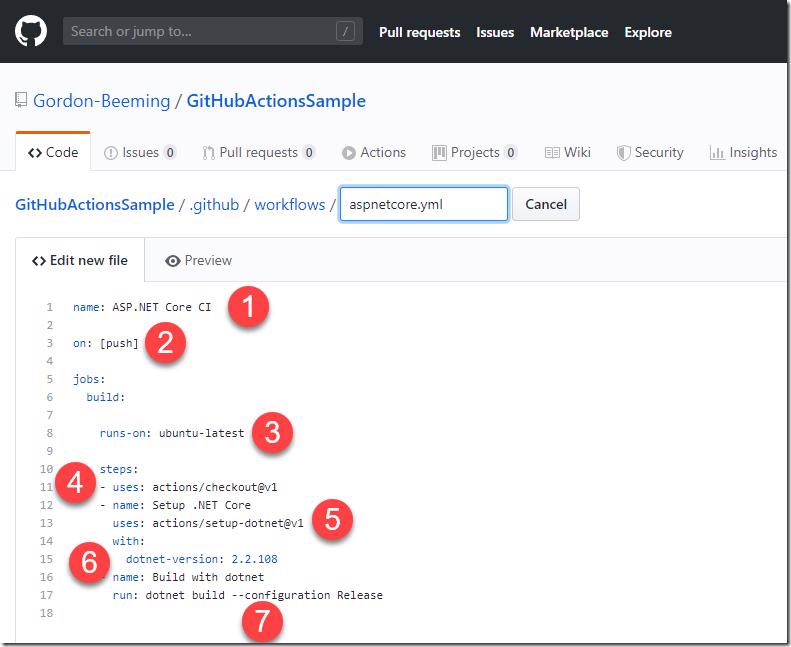
All this is great but we are going to just adjust the version mentioned at point 6 to target asp.net core 3 preview 8 release because that is (at least in this example of mine) what our code requires.
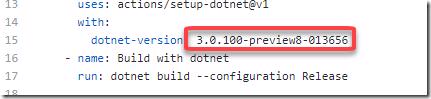
I've updated the YAML file to reflect sdk version 3.0.100-preview8-013656
#Click 4
As far as configuration is concerned we are done, click Start commit

Almost there 🙂
#Click 5
Now all that is left is to type a comment and then click Commit new file
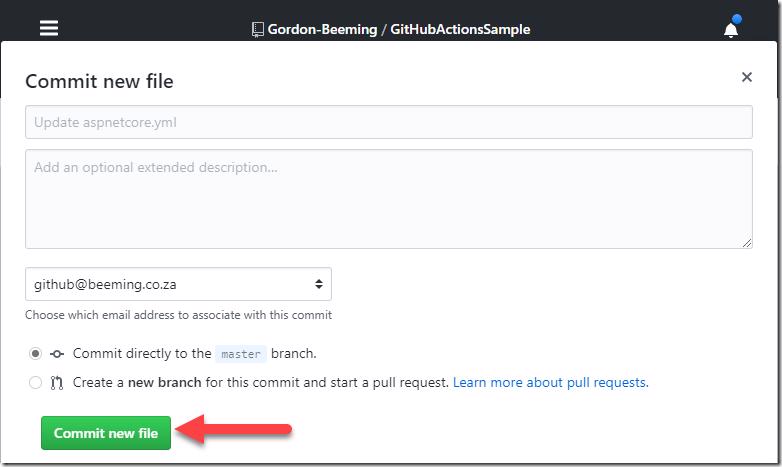
You are all set!
#Status of your workflows
You'll notice now that if you go over to the Actions tab that your action will show up as you can see below and you'd be able to click on the 'run' for your branch and see more details for it
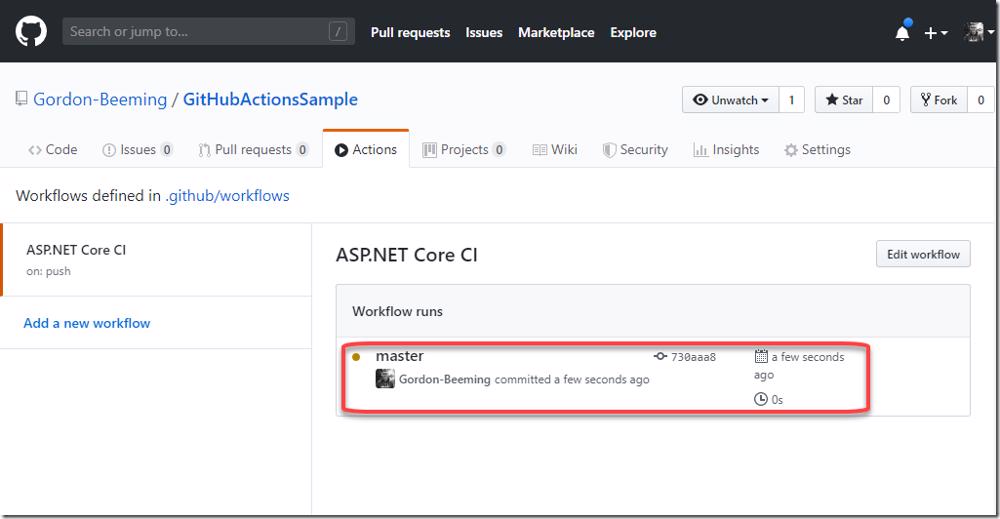
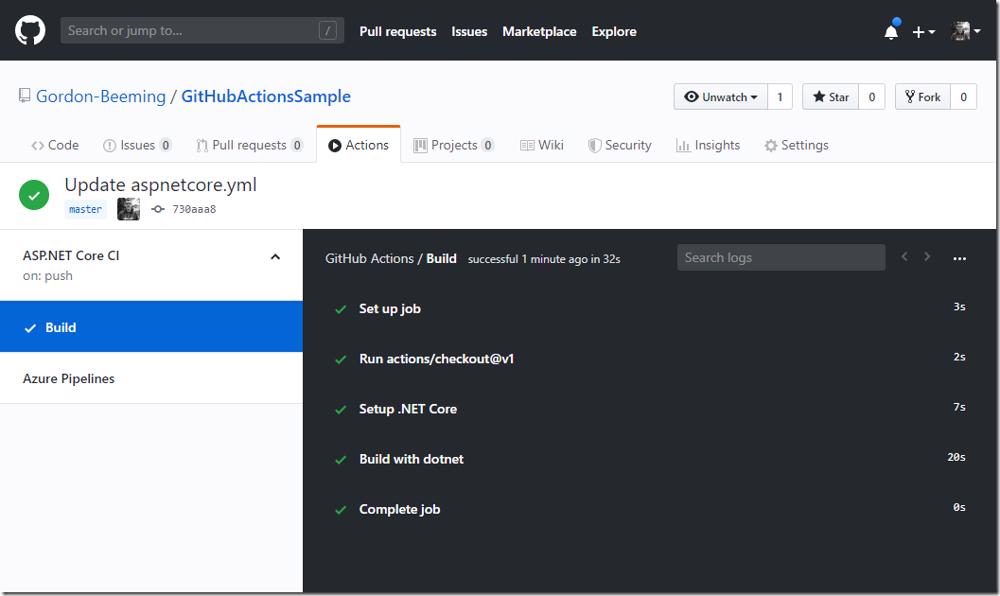
That will bring up the summary for your workflow run and if it's still busy you will see the live stream of the logs to the console in your browser
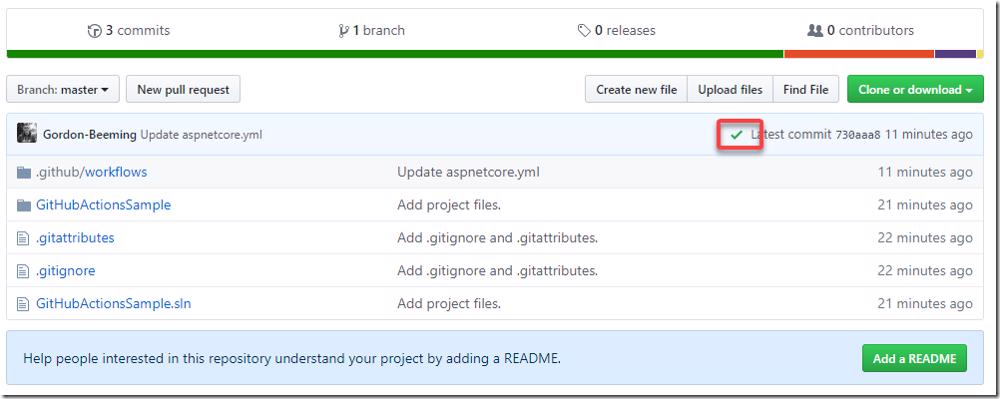
and now as well if you check your commits they have an indicator on them that shows a status that in this case shows success
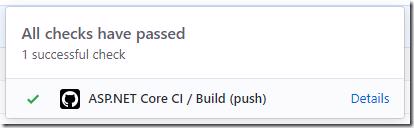
and when clicked on shows you a little more information, clicking on Details takes you to the full summary log view 2 images above.
As you can see GitHub actions are extremely easy to setup. The source for the actions lives with your code so you can easily evolve them as your code evolves. Lastly if your scroll through the list of sample workflows you can see that there are many different workflows provided out of the box to get you setup fast but more importantly you can build your own actions, a post for that will come soon 🙂.
Enjoy!