Redesigning My Blog with an AI-Powered Workflow

On this page4 sections ▾
My personal blog, which has been running on the tailwind-nextjs-starter-blog template, has served me well. It was a pragmatic choice, suggested by Daniel Mackay, to just get something up and running quickly. The plan was always to come back and give it a unique design "later". Well, "later" finally arrived.
The site was functional, but it looked like a lot of other blogs out there. I wanted something that felt more like mine, reflected my brand, and made better use of the screen real estate. So I redesigned it - not over weeks, but in a few hours, with AI doing most of the work.
#The "Before": A Sea of Sameness
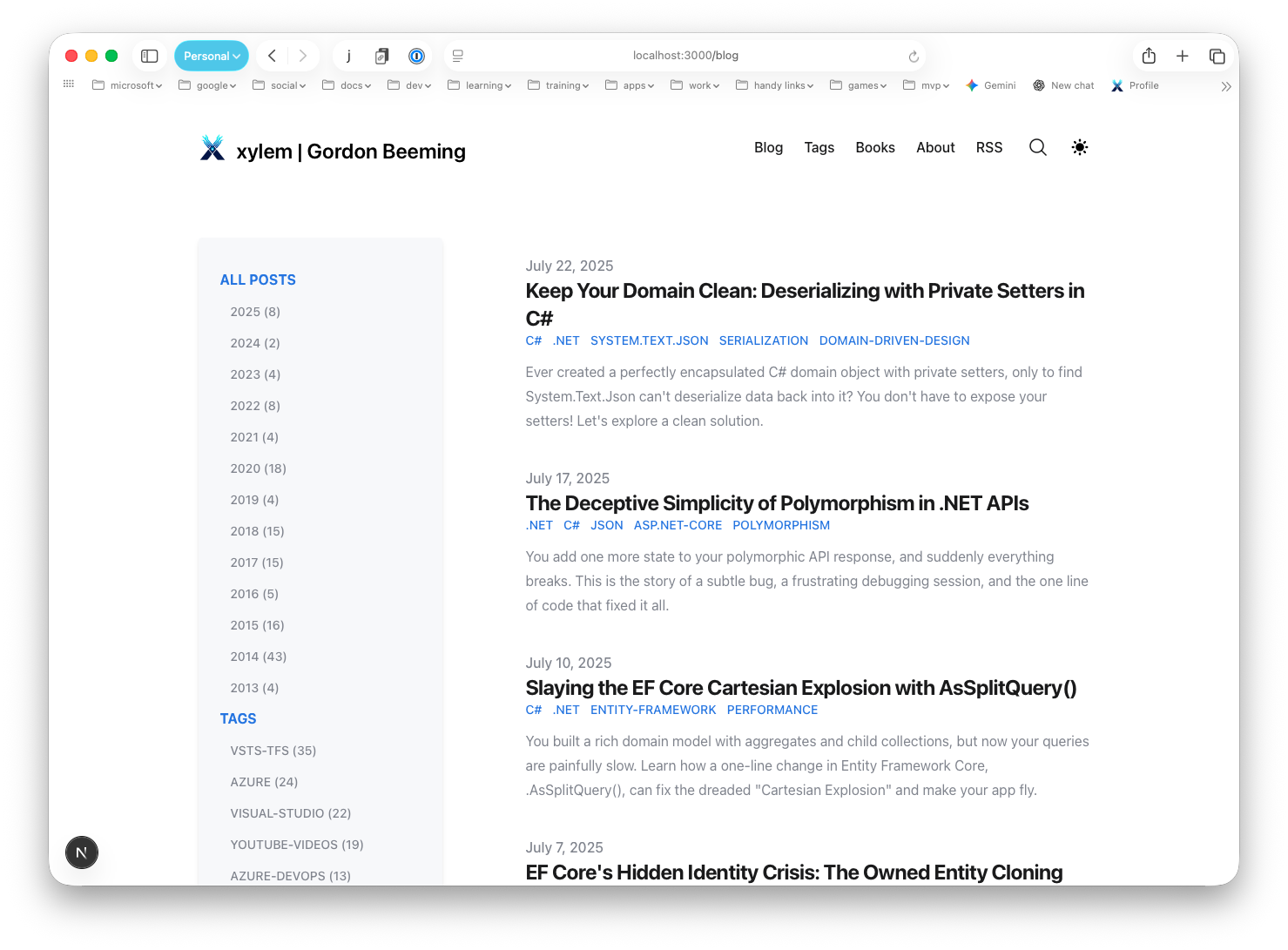
The template is clean and readable, but it's very generic - a simple list of posts with a sidebar for tags and dates.
I'd played around with AI-driven UI builders like v0 and b0lt.new before, but they weren't great for evolving an existing project. I needed a more structured approach.
#The Process: An AI-Powered Workflow
Instead of diving straight into code, I split this into two phases: planning and execution, with a different AI tool for each.
#Step 1: The Tech Lead (Gemini)
Before writing a single line of code, I needed a plan. I opened a conversation with Gemini and gave it a brief: use my brand colors, switch to a card-based layout, keep the tech stack, support light and dark modes.
Gemini turned that into a proper Product Backlog Item (PBI) with a user story and acceptance criteria covering everything from global theming to the blog archive page layout.
#Step 2: The Iterative Build with GitHub Copilot
With the plan done, I handed the requirements to GitHub Copilot on github.com (Using Copilot to work on an issue), kicked off the session, and went to watch TV with my wife while it ran.
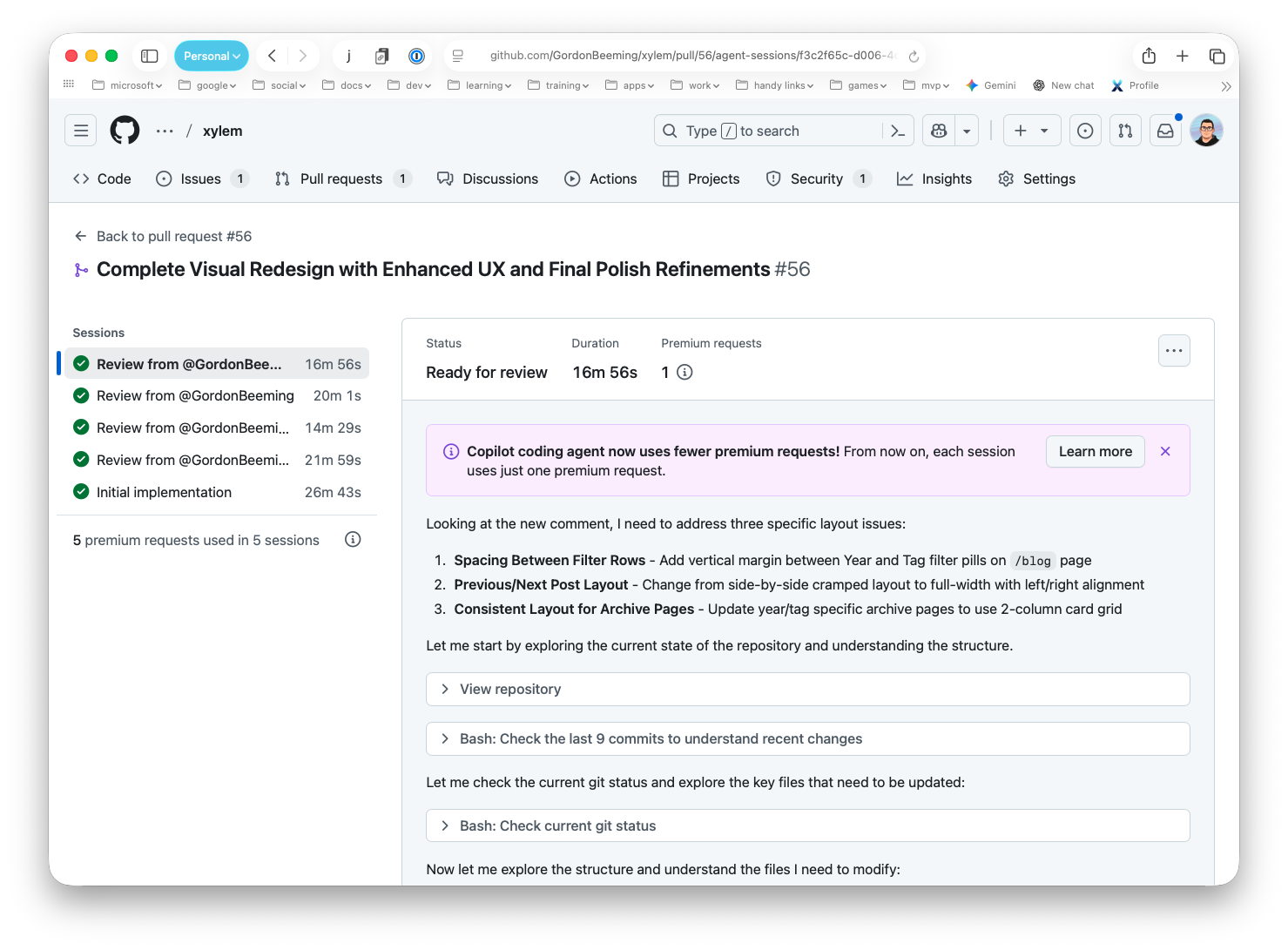
The initial implementation finished in just over 26 minutes. It was about 80% there - a solid starting point, but with things that needed tweaking. That kicked off a refinement loop, all within the same pull request.
For each issue I found, the process was:
- Describe the problem to Gemini.
- Ask it to write clear, constructive feedback for the pull request.
- Paste that feedback as a comment for the Copilot agent to action.
I didn't have to spend time crafting perfectly worded developer instructions. Gemini handled the "what" and "why," Copilot handled the "how." The image below shows the full session history, from the initial build through to the review and refinement rounds.
#The "After": A Unique Identity
After a few of those refinement rounds - plus a handful of manual tweaks I made myself - the redesign was done. The result actually feels like my site now. More visual, denser with content, and still on the same codebase.

#Conclusion
What surprised me most was how well the two tools complemented each other. Gemini thinks in structures and requirements; Copilot executes against them. Neither alone would have gotten this done as cleanly.
I've been skeptical of "AI-assisted development" as a concept - it can mean a lot of things. But framing it with clear roles worked: Gemini as the tech lead, Copilot as the developer, me as the product owner keeping the vision on track. That structure is what made the whole thing click. If you've got a project sitting on the back burner, it might be worth giving this a go.