My "Meta-Prompt" for Codebase Investigations with Copilot CLI and copilot_here

On this page4 sections ▾
When I investigate an unfamiliar part of a codebase, I ask GitHub Copilot CLI to write a structured report. Having the findings in a file makes them easier to review and refer to later.
To do that, I use a "meta-prompt" that I keep in my clipboard history (I use Paste) so it's always at hand. The template describes the report structure and where to save it.
I run it with copilot_yolo, a mode of copilot_here, and mount an investigations directory so the report stays on my host machine.
#The "Meta-Prompt" for Investigations
When I start an investigation, I paste this from my clipboard history into my terminal session. It's the first thing the AI sees.
The full copyable prompt appears with the example below.
#Why this prompt works
The prompt specifies the output format and how to handle clarification:
- It explicitly asks for a markdown file as output.
- It gives a clear file naming convention:
YYYYMMDD-{{ Current working directory name }}-{{ Summary of investigation }}.md. - It specifies a report structure:
high level summary,detailed findings, andrecommendations. - The questioning technique is inspired by Daniel Mackay's approach to efficient vibe coding. I used to ask the AI to "always ask for clarification" and "number questions," but Daniel's version works much better. Asking one question at a time, waiting for the answer, and using tables for multiple options creates a more focused conversation that gets to the point faster.
#See it in action
#The Tool: copilot_yolo with a Global Mount
The prompt asks for a file in ~/investigations/, so that directory needs to be available inside the container.
I use copilot_yolo for these investigations so Copilot can use the tools available inside the container.
copilot_yolo still benefits from the copilot_here configuration, including the flexible directory mount system. I don't want to type --mount-rw ~/investigations every time. Instead, I use the global config to set it up once, permanently.
# Run this command one time
copilot_here --save-mount-global ~/investigations:rw
The global configuration mounts ~/investigations with read/write access each time I run the tool. Reports stay outside the project, so they do not appear as uncommitted files in its git status.
This global mount feature is part of the new November 2025 updates to copilot_here. You can read all about it here:
copilot_here: November 2025 updates
#The Workflow in Action: Investigating a Xero Integration
For an investigation, I start the tool from the repository and append my question to the template.
Step 1: Change to the project directory
cd ~/projects/SSW.TimePROStep 2: Start the tool
copilot_yoloThe global mount for ~/investigations is loaded automatically.
Step 3: Paste the full prompt I paste my meta-prompt from my clipboard, immediately followed by my specific query.
I need help with an investigation report. I need you to place a markdown file in
~/investigations/, the format of the name of the markdown file should beYYYYMMDD-{{ Current working directory name }}-{{ Summary of investigation }}.mdwhere YYYY is the year, MM is the month, and DD is the day. The core important details is a summary of what the ask is, if I ask for further details change the summary accordingly, if the there is just clarification then no need to update anything, any new updates should change the summary to be bullet points so it's easy to digest. Next up I need a high level summary of the investigation, then followed by detailed findings, and finally any recommendations (if applicable). Ask me if you have any questions before you start. Ask each question one at a time. Wait for an answer before asking the next question. If there are several options, show these in a table with options labeled A, B, C, etc.I'm interested in the xero integrations we have, specifically how it's configured and what interactions we have with it... if you can give me any sql scripts to check config that would be useful too
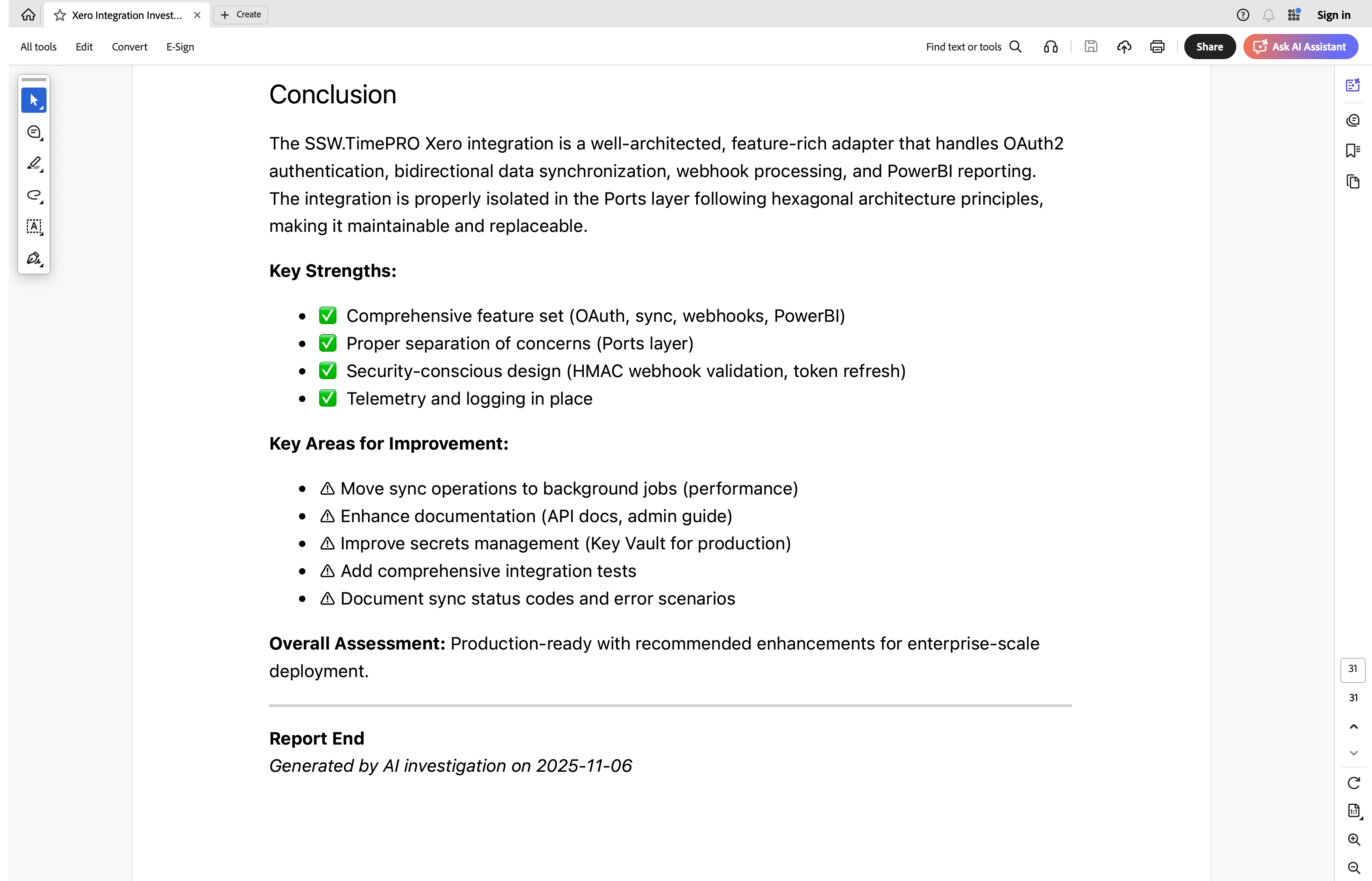
#The result: a detailed 31-page report
After a few follow-up questions, Copilot generated the file ~/investigations/20251106-SSW.TimePRO-Xero-Integration-Configuration-And-Interactions.md.
The report saved me hours of manual digging. The useful parts were the configuration references, SQL checks, and recommendations I could compare with the code.
Here are a few snippets to give you a sense of the output:
Key Finding: The integration is designed as a pluggable adapter in the Ports layer (hexagonal architecture), making it replaceable with other accounting systems.
It identified the adapter pattern used by the integration.
1.1 Application Settings (appsettings.Development.json) ... 1.2 Database Configuration (AuthConnection Table)
It correctly identified the two main sources of configuration: flat files and the database.
### Script 1: Check if Xero is Configured
It fulfilled my specific request for SQL scripts and generated 10 different ones I could use to check the system's state.
2.1 HIGH PRIORITY - Background Jobs > Finding: Code comment says "TODO: Move to a background task" in
XeroInvoiceSyncService.SyncInvoice().
Recommendations: ✅ Move invoice sync to Hangfire background job
It also picked up a TODO about moving invoice sync into a background job. That gave me a specific recommendation to review against the implementation.
The report stays in ~/investigations/ on my host machine, so I can review it without adding generated documentation to the project. The prompt and mount configuration are reusable; the investigation question changes with the codebase.
You can get the tool from the copilot_here website or GitHub.