Sharing code that uses Application Insights

On this page4 sections ▾
So you have a project that uses Application Insights and want to share it with the world. Sure you just post it to CodePlex, GitHub or some other place that allows publishing of code don't you.
NO!!!
Something that you don't want to do is share your code without removing some of the values under the ComponentSettings node in your ApplicationInsights.config. I see 3 possible ways of doing this, possibly each being used in a specific scenario.
#1.) Delete and publish
When: I foresee this scenario being for when you have not made any custom changes to your Application Insights configuration.
The first way is to simple delete the Application.config and publish the source code.
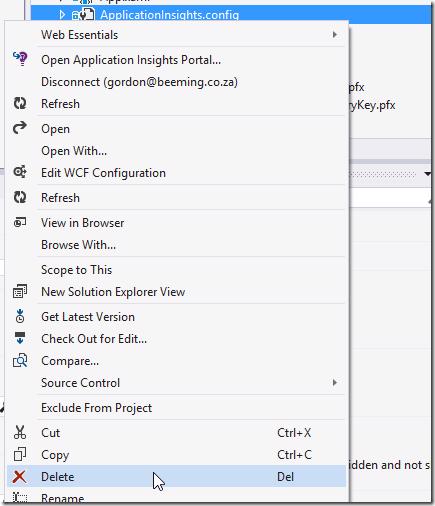
This will mean that when somebody that downloads your code wants to run it and use the Application Insights bits they will need to add new Application Insights configuration
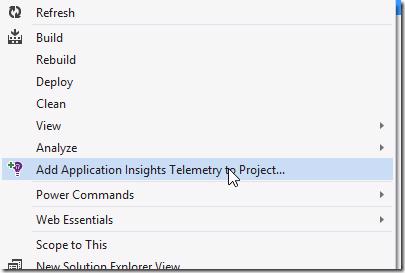
After they have done that they can use your solution with Application Insights no problem
#2.) Blank out or token the ComponentSettings section
When: I see this option being for when you have made modifications to the Application Insights config that you feel other users would need in order to effectively use App Insights in the application.
You could for example specify that for the Development Profile you don't want to collection user and machine names.
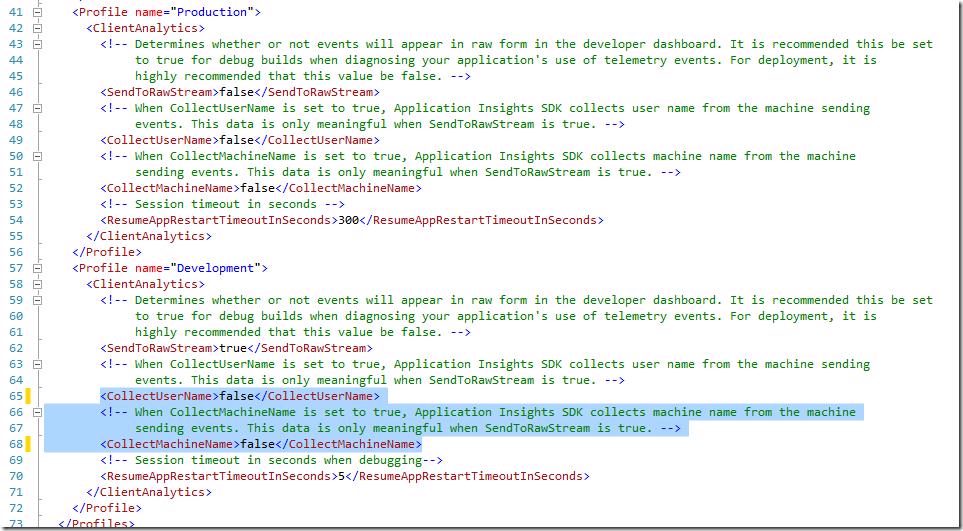
The pieces you will want to blank out or token are below
- ComponentSettings\ComponentId
- ComponentSettings\DevelopmentMode\ComponentId
- ComponentSettings\DevelopmentMode\PortalURI
- ComponentSettings\DevelopmentMode\DashboardId
- ComponentSettings\AccountId
- ComponentSettings\LicenseKey
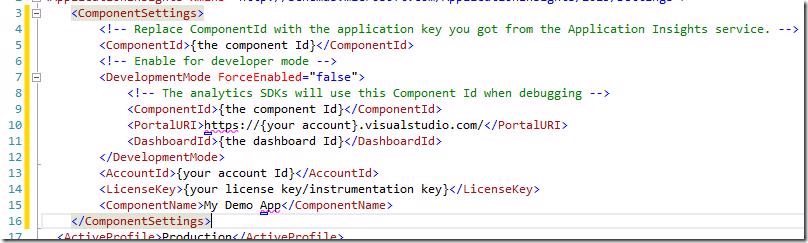
After you have done this you are good to share your code 🙂
#3.) Split source control
When: You want to share the code but also want to use the application for "real", i.e.: Windows Store Application
What I have started doing for applications that I want to share the source for but also want to use the app in the real world is connecting to a public source control like CodePlex or GitHub and then also to private source control like VSO. The way I do it is to have a public GitHub repo that contains all the logic for my app, this repo is then pushed into a VSO repo as well where I do all my Application Insights stuff. Using this method allows me to work on my app normally as I would with source control and allows the community to be evolved as well with them having to worry about App Insights configuration (sometimes you would want them to be adding App Insights to the code as they add it in which case you will just keep the config separate) and then for when I publish to the store I don't have to have to add a bunch of App Insights code everywhere and keep it out of source control. All I need to do is push to my VSO account, merge any conflicts (which shouldn't happen if I'm just doing App Insights in VSO) and then possible add any additional telemetry that I want and then finally I publish to the store and everything is awesome 😁.
#
#Conclusion
These are just my thoughts and there are probably other ways that people currently do it. One thing you don't want to do is share you keys because then you need to reset them and then update all applications in the wild connected to your account.
if you have other ways of handling this today give me a shout at @GordonBeeming with some details 🙂