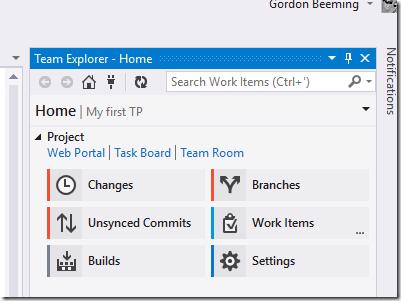
Connecting Visual Studio to VSTS

#Long Way
After you have a new Team Project in VSO you would eventually want to connect your Visual Studio to it. Open Visual Studio
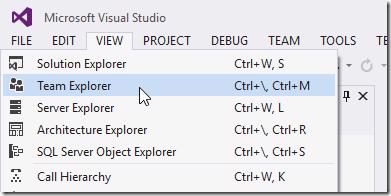
Open Team Explorer by click View and then Team Explorer
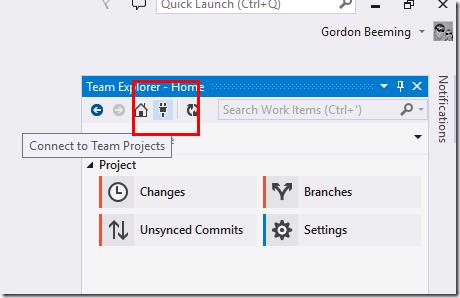
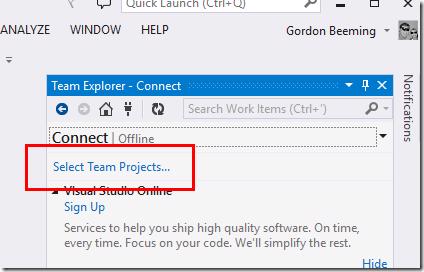
When Team Explorer pops up click on the Connect to Team Projects button
and then click on Select Team Projects
Click on Servers
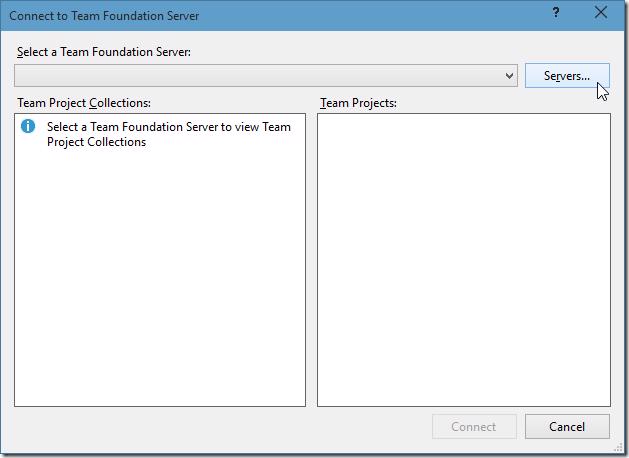
Visual Studio conveniently loads a list of your servers connected to VSO for you if you signed in, if you don't see your newly created account in the list click Add
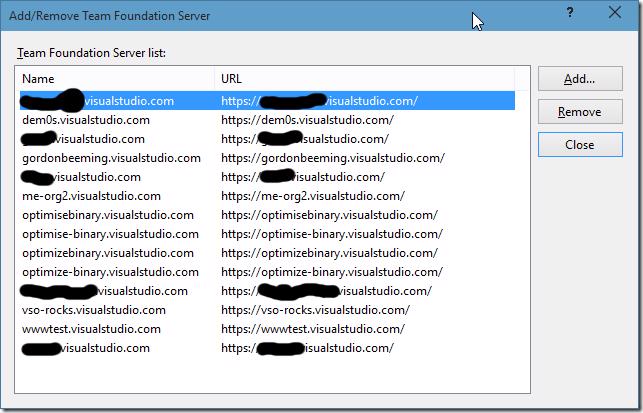
Enter the full url to your account as it was on your account page and click OK
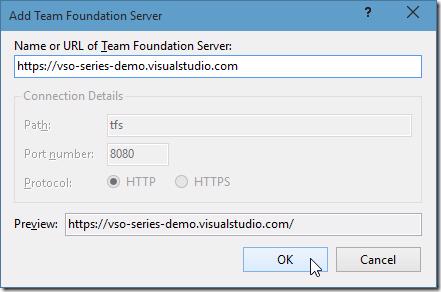
You account will now exists in the servers list, click Close and then the Connect to Team Foundation Server window will auto load your Team Project Collection and it's Team Projects, tick the checkbox next to the Team Projects you want to be able to connect from in Visual Studio and click Connect
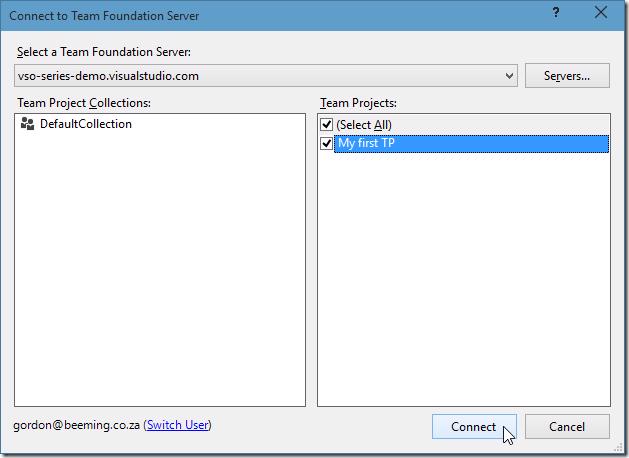
Your Team Project is now connected to Visual Studio and you can now setup your builds, clone code repositories, etc
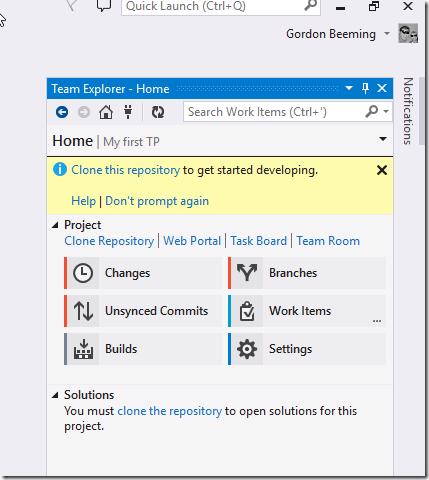
Slightly more steps than before.
#Short Way
Of course if you wanted to open the project the easy way you could simple navigate to the Team Project and click on Open in Visual Studio
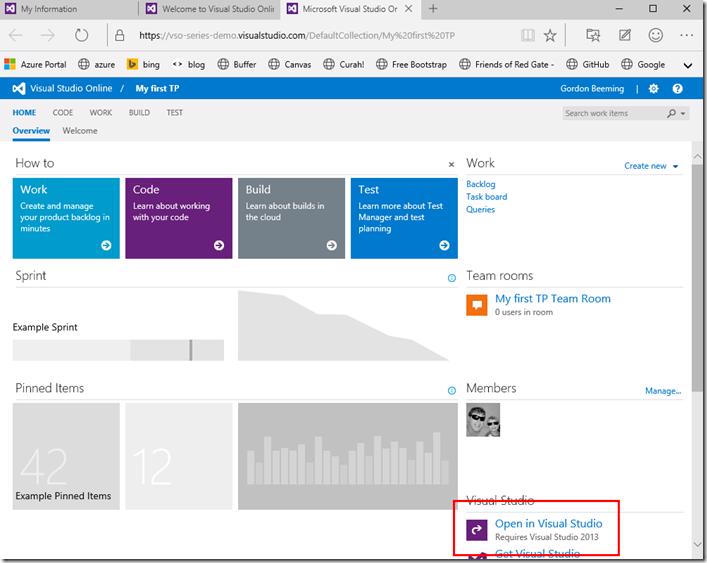
this would then launch a new instance of Visual Studio and connects to your Team Project