So leading off from the last post in the series where we just created a new VSO account we can click on our account in the list of accounts
FILL THIS IN
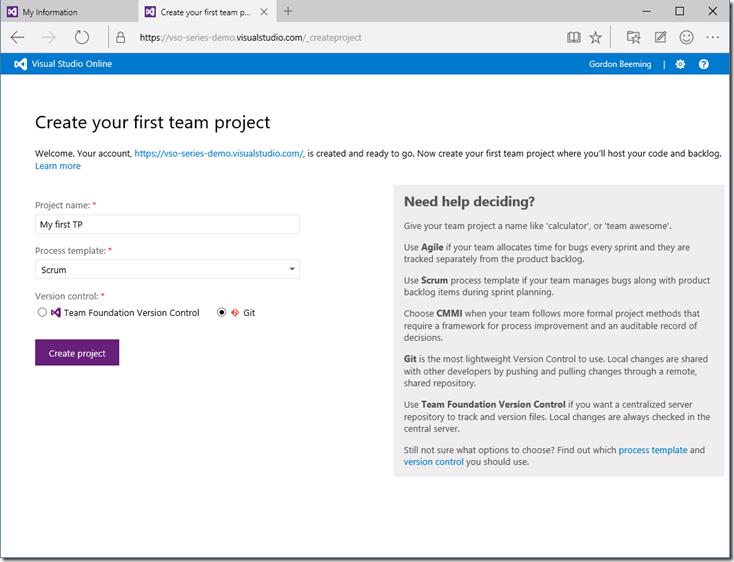
and then we are taken to the Create your first team project page, enter a Project name, choose a Process template and what Version control you'd like to use and click Create project
Creating a new team project in VSTS with project name, process template, and version control options.
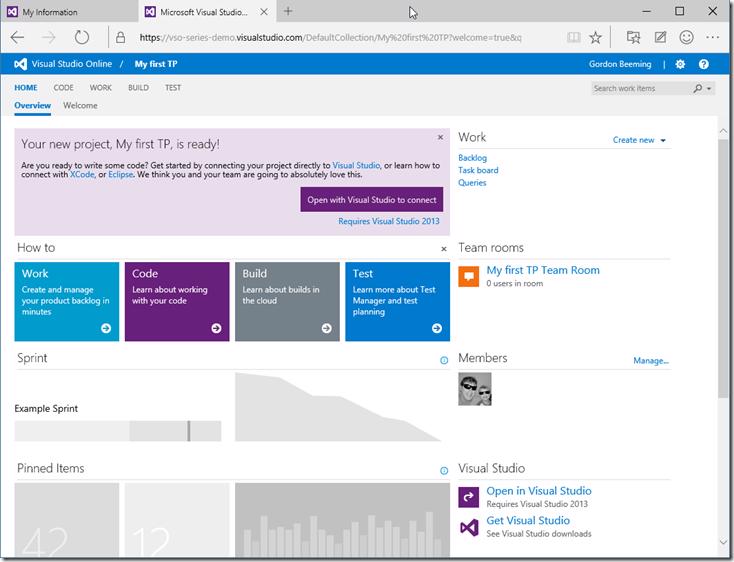
Again it will go away and think for a bit, about 30 seconds late you will be redirected to you new Team Project
The dashboard of the newly created VSTS team project.
That's it, simple enough right.
Gordon Beeming
Father • Husband • Triathlete • SSW Solution Architect
 Gordon Beeming
![image_thumb\[14\]](/images/baebb06404684f9d8d114181817fbb82.png)